Table of Contents
A strong Amazon product page isn't one great image or one clever line of copy - it's several pieces working together: the images that do the selling, the Brand Story that builds trust, and a listing that gets refreshed before it goes stale. Most sellers optimize these one at a time, in isolation, which is exactly why so many listings feel disjointed even when each individual piece looks fine on its own.
This guide covers all three as one system: how infographics actually move the needle on sales, why a Brand Story earns its place on the page, the concrete steps to building a page that converts, and - just as important - how to recognize when it's time to rebuild rather than tweak.
How Amazon Infographics Actually Increase Sales
Shoppers move fast. Most spend only seconds deciding whether a listing is worth a closer look, and the large majority never read past the images to your bullet points or full description. That reality is exactly why infographics carry so much weight: they're often the only real opportunity to communicate what makes your product worth buying before a shopper has already scrolled past.
The data backs this up clearly. Multiple independent sources converge on a similar range: listings with well-designed infographic images see roughly 10 to 30% higher conversion rates compared to listings using only plain product photos. That's not a marginal edge - in a competitive category, it's often the difference between a listing that's profitable on paid traffic and one that isn't.
What makes an infographic actually work, rather than just look busy:
- One image, one message. A single graphic trying to communicate eight features in tiny text communicates none of them clearly. A clean graphic built around one clear benefit, in bold and legible text, consistently outperforms a cluttered one.
- Lead with benefits, not features. "Keeps drinks cold for 24 hours" lands harder than "double-wall vacuum insulation." Every technical feature should be translated into what it actually means for the person buying it.
- Design for mobile first. With the majority of Amazon traffic on mobile, any callout text that looks sharp on a desktop monitor and unreadable on a six-inch screen is a wasted image, not a finished one.
- Use three to five infographics, not one and not fifteen. Enough to communicate your real differentiators clearly, without overwhelming a shopper who's making a decision in seconds.
Infographics also do work beyond the shopper's eye. Amazon's own ranking systems weigh conversion rate on a given search query as one of the strongest signals in ranking a listing - so an infographic sequence that actually converts better doesn't just sell more directly, it can improve the organic visibility that brings shoppers to the page in the first place.
Why Your Amazon Listing Needs a Brand Story
Brand Story is one of the most underused tools available to Brand Registered sellers - a scrollable, modular section that sits above your classic A+ Content, giving you space to answer a question your bullet points and infographics generally can't: why should I trust this brand at all, not just this one product?
The impact is measurable. Amazon's own reporting associates A+ Content - which Brand Story is part of - with conversion increases of up to 8%, and research on brand storytelling more broadly points to significantly higher engagement and repeat-purchase behavior when shoppers feel a genuine connection to a brand rather than just a product. Emotional connection specifically has been linked to substantially higher customer lifetime value, not just a one-time conversion bump - a Brand Story that lands isn't just selling the item in front of the shopper, it's building the relationship that brings them back for the next one.
What makes a Brand Story actually work:
- Lead with the "why," not the spec sheet. Brand Story exists to answer questions your product listing already answers elsewhere - don't duplicate material dimensions or ingredient lists here. This is the space for mission, origin, and values.
- Be specific and honest, not generically "the best." Vague claims about quality or excellence don't build trust. A real, specific story about why the brand exists resonates far more than a claim that could apply to any competitor.
- Keep it consistent across your whole catalog. Brand Story content appears across every listing it's applied to, so a story that only makes sense for one product can feel out of place on the rest of your catalog - write for the brand, not just the SKU in front of you.
- Use it to cross-sell naturally. Brand Story modules can highlight other products in your catalog, turning a single-product visit into a multi-product browsing session without feeling like a hard sell.
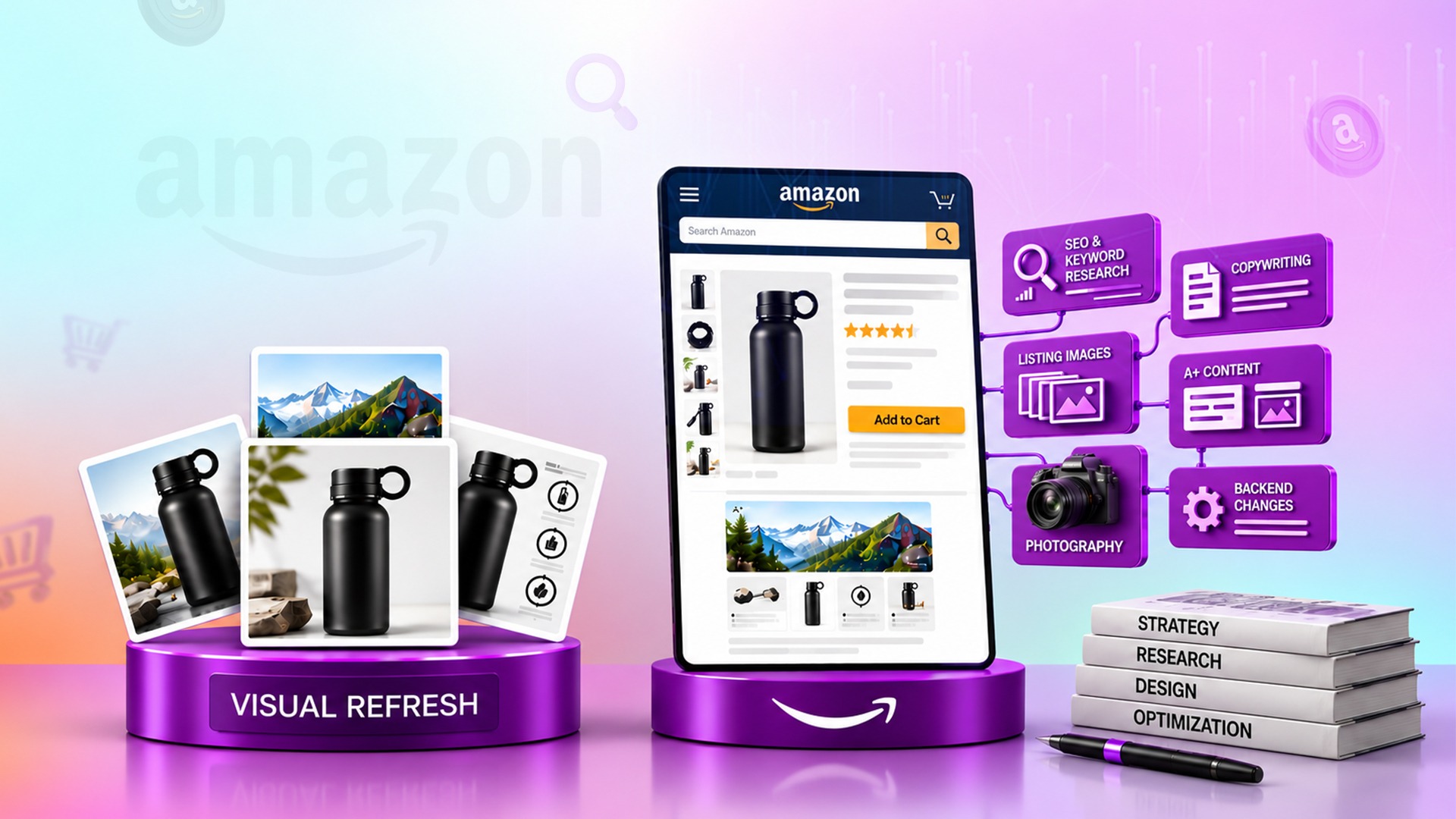
Easy Steps to Mastering Your Amazon Product Detail Page
Put together, here's the practical build order - the sequence that turns the pieces above into one coherent, high-converting page.
Step 1: Win the click with the main image.
Before anything else on the page matters, your main image has to earn the click in search results - clean, compliant, and differentiated enough to stand out as a small thumbnail next to a dozen competitors.
Step 2: Build a benefit-led infographic sequence.
Three to five images that answer a shopper's biggest questions in order - what is this, how does it work, why is it better - each one legible on a phone screen at a glance.
Step 3: Add A+ Content that answers real doubts.
Move beyond generic modules into content structured around the specific hesitations shoppers in your category actually have - comparison charts, ingredient or material breakdowns, and use-case detail that goes deeper than the image stack can.
Step 4: Layer in a genuine Brand Story.
Once the product-level case is made, use Brand Story to build the brand-level trust that turns a one-time buyer into a repeat one.
Step 5: Optimize every asset for mobile before it goes live.
Text size, contrast, and layout all need a phone-screen check - a page that looks great on desktop and fails on mobile is failing for the majority of your actual traffic.
Step 6: Test and refine using real data, not guesswork.
Brand Registered sellers can run controlled experiments on listing images and content directly through Amazon's tools - use that data to confirm what's actually working rather than assuming a design choice is right because it looks good.
When to Redesign Your Amazon Product Page
Not every dip in sales means your listing needs a redesign - sometimes it's a traffic problem, not a conversion problem, and the fix is entirely different. Here's how to tell the difference, and when a refresh is genuinely due.
Check your conversion rate against the benchmark first. A healthy Amazon conversion rate typically falls between roughly 10% and 15%; rates below 8% are a reasonably reliable signal that something on the page itself - images, copy, pricing, or trust signals - needs attention rather than the ad strategy driving traffic to it.
Watch for a real drop, not normal noise. A meaningful trigger worth acting on is a conversion rate decline of roughly 15% or more over a short window (a week or two), which usually signals the market has shifted, a competitor has undercut you, or your content no longer matches what shoppers searching that term actually want.
Separate a traffic problem from a conversion problem. High click volume with low sales points to a conversion issue on the page itself. Low impressions or clicks with a healthy conversion rate once shoppers do land points to a visibility or bidding issue instead - redesigning a page that's already converting well won't fix a traffic problem, and no amount of ad spend will fix a page that's actually the issue.
Treat a stale listing as a warning sign on its own. Listings that haven't been meaningfully updated in six to twelve months are a reasonably reliable predictor of gradual decline - not because freshness itself is a ranking factor, but because competitors keep improving and shopper expectations keep shifting while a static listing doesn't.
Know when it's a refresh versus a full relaunch. If conversion rate is under roughly 8%, your core keyword has fallen out of the first page of results, and your star rating has slipped below roughly 4.3, incremental tweaks are usually slower than a genuine relaunch - new main image, refreshed infographics, and a real content reset, rather than another few months of small adjustments to a listing Amazon's own systems may have already deprioritized.
Bringing It All Together
Infographics, Brand Story, and knowing when to redesign aren't three separate projects - they're one system that should be planned and maintained together, by a designer who understands how all three connect rather than three disconnected requests handled at three different times. That coordination is exactly what a dedicated amazon graphic design service is built to provide: one relationship, briefed once, keeping every part of your product page working as a unified whole instead of a patchwork of individually-fine pieces that don't quite add up.
If your product page hasn't been looked at as a full system recently, book a discovery call and get an honest read on which of these three areas - visuals, brand story, or overall freshness - is actually holding your listing back.
FAQs: Amazon Product Detail Page Optimization
How much can infographics increase Amazon sales?
Multiple independent sources put well-designed infographic images at roughly 10 to 30% higher conversion rates compared to listings using only plain product photography, making them one of the highest-leverage, lowest-cost improvements available to most listings.
What should go in an Amazon infographic?
One clear benefit per image, translated from a feature into what it actually means for the shopper, designed with mobile legibility as the priority - three to five infographics total is generally enough to cover your real differentiators without overwhelming the shopper.
Why should my Amazon listing have a Brand Story?
It's one of the only places on the page dedicated to building trust in the brand itself rather than just the product, and it's associated with meaningfully higher engagement and repeat-purchase behavior when it genuinely connects with shoppers rather than repeating generic claims.
What's a good Amazon conversion rate?
Roughly 10 to 15% is considered a healthy average range; rates below 8% typically signal a real issue with the listing's content, pricing, or trust signals worth investigating.
When should I redesign my Amazon product listing?
When conversion rate drops meaningfully (roughly 15% or more over a short window), when it's been six to twelve months since a real update, or when conversion rate, keyword ranking, and star rating are all struggling at once - the last combination usually points to a full relaunch rather than incremental tweaks.
How do I know if my Amazon listing has a conversion problem vs a traffic problem?
High click volume paired with low sales points to a conversion issue on the page itself. Low traffic with a healthy conversion rate once shoppers do land points to a visibility issue instead - the two problems need very different fixes.
How many infographics should an Amazon listing have?
Three to five is the generally recommended range - enough to communicate your product's real differentiators clearly without cluttering the image stack or repeating the same point multiple times.
What's the difference between Brand Story and A+ Content?
A+ Content generally focuses on the product itself - features, use cases, comparisons. Brand Story sits above it and focuses on the brand - mission, origin, and values - answering a different question for the shopper than the product-level content does.
What are the steps to building a strong Amazon product page?
Start with a compliant, differentiated main image, follow it with a benefit-led infographic sequence, add A+ Content that answers real category-specific doubts, layer in a genuine Brand Story, optimize everything for mobile, and test using real performance data rather than assumptions.
How often should I update my Amazon listing?
Treat six months as a reasonable outer limit even when performance looks stable, and update immediately when you see a meaningful conversion drop, a competitor shift in your category, or a major Amazon policy change affecting how your listing displays.
.webp)